Enable or disable Destiny Engage book clubs
You can enable or disable book club creation for students at your school.
|
Note: This feature requires a subscription to Destiny Engage. |
- Select the Applications menu
 > Discover Admin.
Notes: Access to Discover Admin requires the Destiny permission, Allow Follett Digital setup.
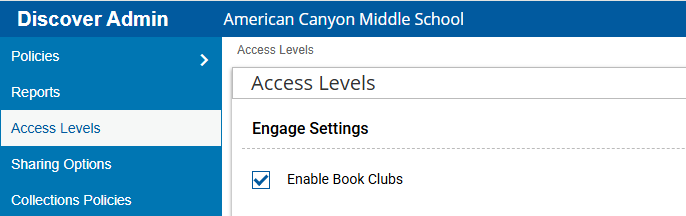
- Click Access Levels.
- In the Engage Settings section, select or deselect Enable Book Clubs.
- At the bottom of the page, click Save.